
Understanding Configuration
Configuration is reached from a dedicated Configuration group in the left sidebar, below Core and Operations. It contains exactly two entries observed in the product: Team and Settings. Team is used to review workspace members, their roles, and status, and to manage invites. Settings is used to review and, in limited cases, update workspace-level and business-level configuration such as organization profile, branding, document defaults, sales tax defaults, and module-specific numbering.
Who this is for: Owners or staff who administer workspace membership or review workspace settings.
Before you begin
Section titled “Before you begin”- An active operator session in OperelliOS.
- Sidebar access to the Configuration navigation group.
-
Locate the Configuration label in the left sidebar, beneath Core and Operations.
-
Observe the two links listed under Configuration: Team and Settings.
-
Select Team to open the workspace member list with role and status information.
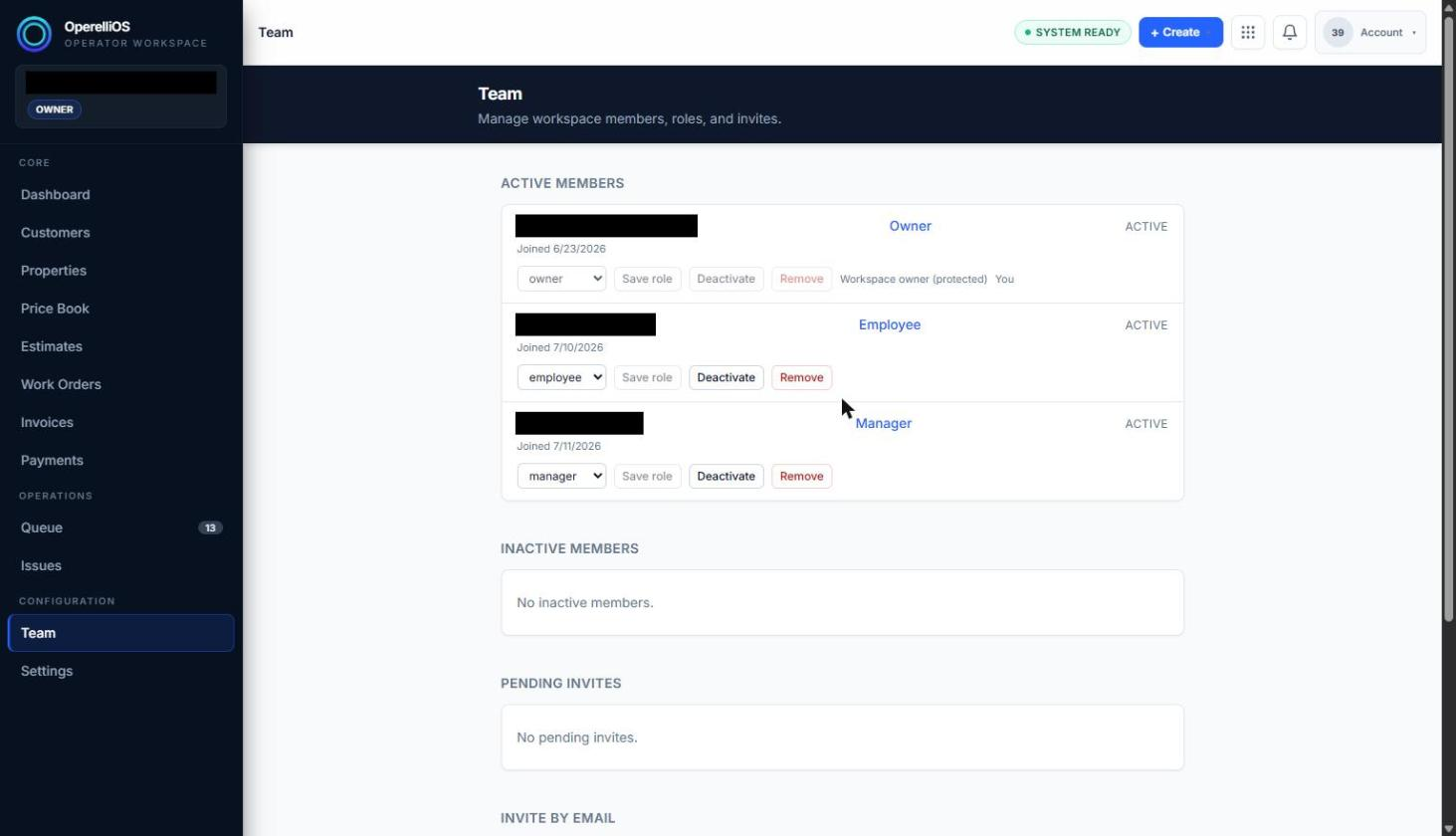
Configuration group open on Team.
-
Select Settings to open the Settings landing page listing Organization Settings and Module Settings sections.
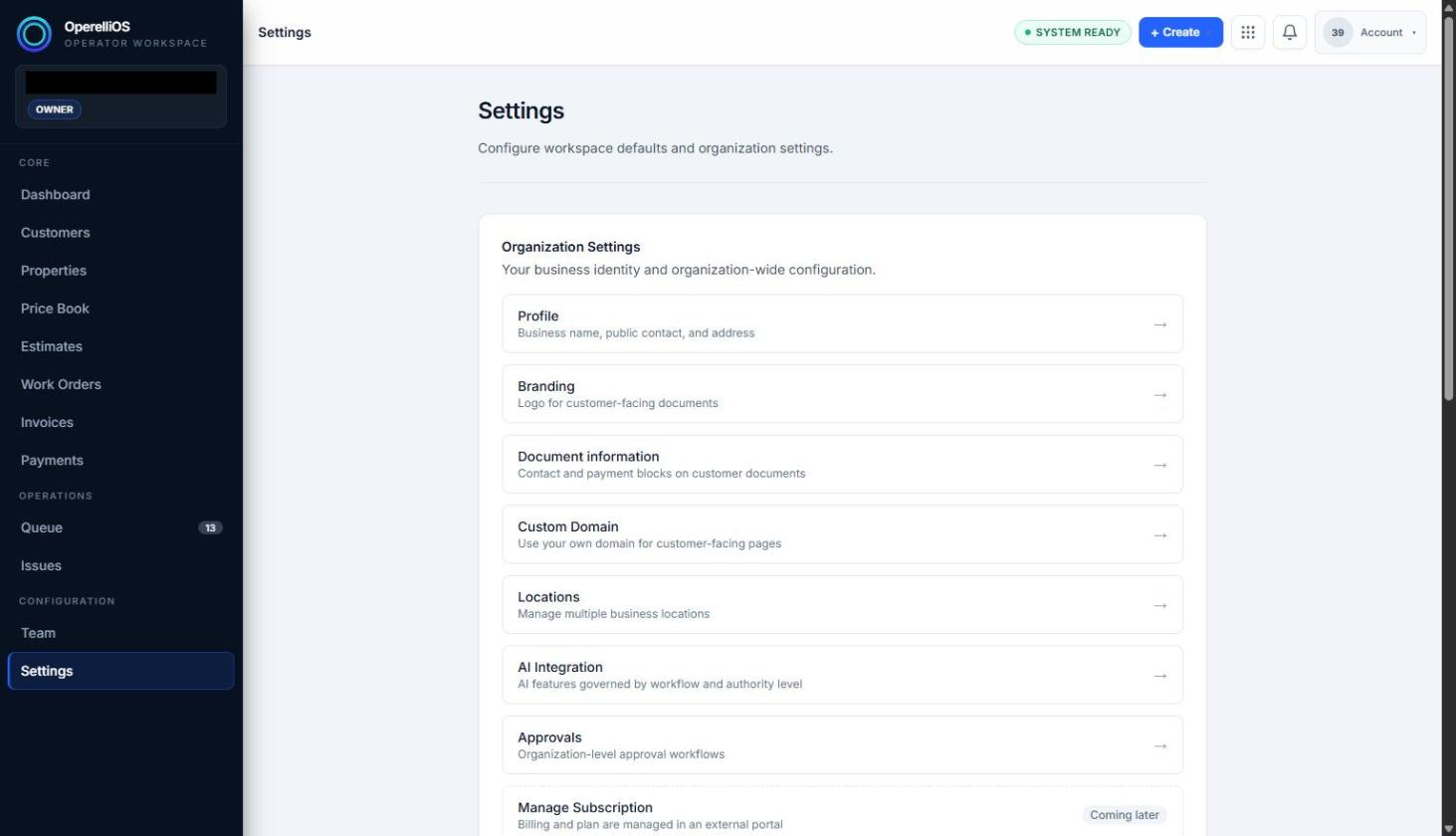
Settings surface opened from Configuration.
Expected result
Section titled “Expected result”Selecting Team opens a workspace member list with role and status information. Selecting Settings opens a landing page for Organization Settings and Module Settings.
Warnings and notes
Section titled “Warnings and notes”- Configuration surfaces mix safe, review-only information with controls that can change real access or real workspace behavior (role changes, deactivation, removal, and saved settings fields).
- Confirm you are in the correct workspace before using any control that changes membership or saves a settings value.
- This article does not claim billing administration, authentication-provider administration, DNS or domain management, legal settings administration, audit-log administration, tenant provisioning, AI-controlled permissions, or role semantics that were not directly observed.