
Understanding Invoice Statuses and Workflow Boundaries
This article documents the Invoice statuses directly observed in this capture, and the boundary between documented status transitions and Payment workflows.
Who this is for: Owners or staff who need to understand which Invoice states were executed versus which labels appear only as filters.
Before you begin
Section titled “Before you begin”- Access to the Invoices area.
- An existing synthetic Invoice for reviewing status labels.
Directly executed and observed statuses
Section titled “Directly executed and observed statuses”-
Draft — the status a new Invoice starts in immediately after creation. In this status, the due date is editable and a Void draft action is visible. Reached by creating an Invoice from a completed Work Order.
-
Issued — reached by selecting Issue invoice from a Draft Invoice. Once Issued, the product states that status changes are only available while the Invoice is in Draft, and that customer sending is not available in this release. The action bar changes to show Payment-related controls such as Record payment and Pay with card as next available actions. Those controls are workflow boundaries only in this Help category.

An Invoice in the Issued status, with Payment actions visible only as a workflow boundary.
-
Unpaid may appear as a payment-status badge on an Issued Invoice detail view. That visible label is not documentation of a completed Payment workflow.
Observed but not executed
Section titled “Observed but not executed”The status filter tabs in the Invoices list (Unpaid, Partially paid, Paid, Overdue, Void) were visible as filter labels and were seen applied to pre-existing records in the workspace. These labels were not produced by an executed transition on a synthetic Invoice in this capture batch, and a filter label is not proof that the corresponding workflow transition was completed by this capture.
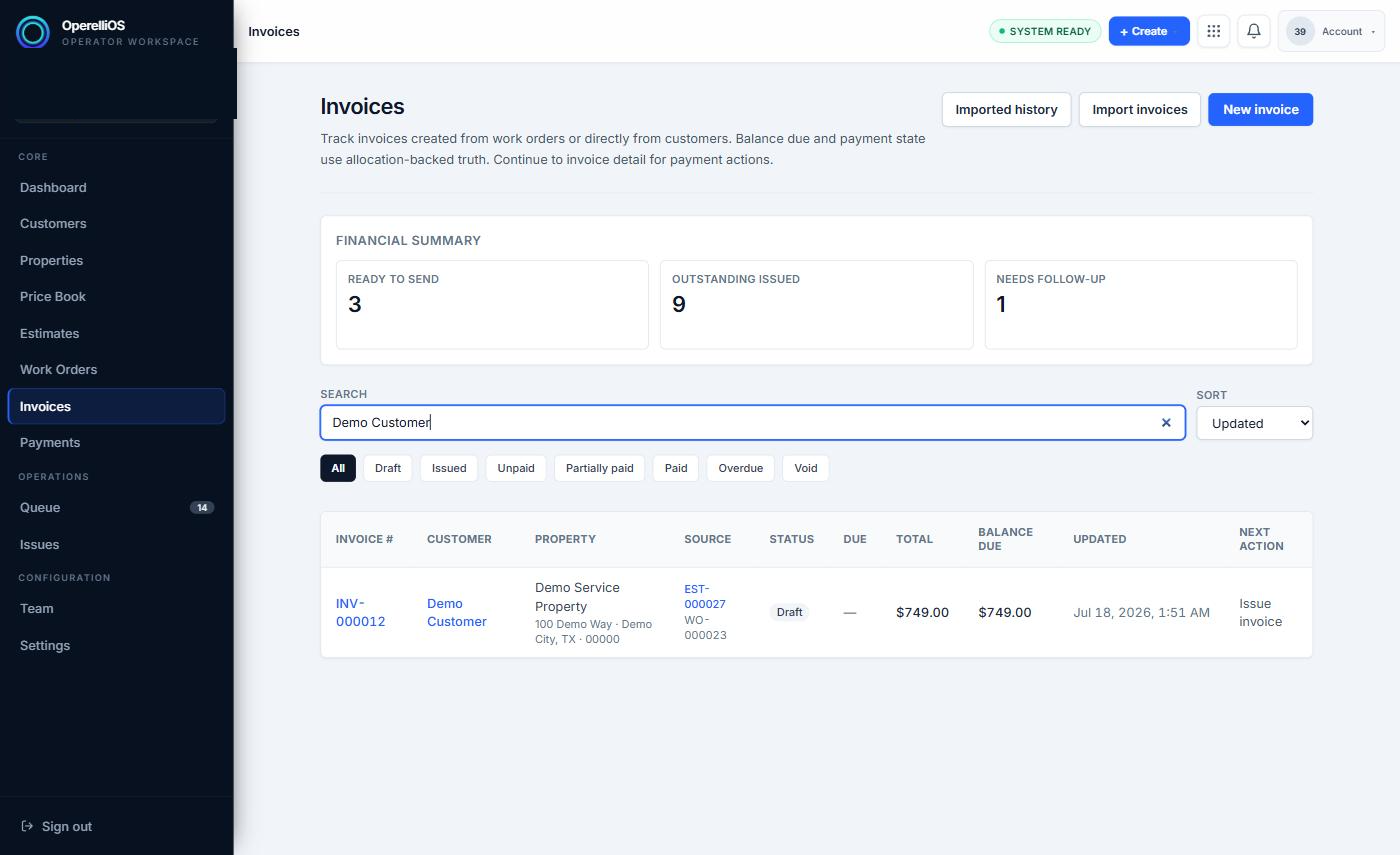
The Invoices list, showing the available status filter tabs.
Expected result
Section titled “Expected result”You can distinguish executed Draft and Issued transitions from filter-only or payment-related status labels, and you treat Payment actions as out of scope for this Help category.
Warnings and notes
Section titled “Warnings and notes”- This article documents observed Invoice states only. Payment recording, processing, refunds, and reconciliation are outside this capture batch and will be documented in a Payments Help category.
- A visible Payment action (Record payment, Pay with card) is not proof of a completed Payment workflow and is not an instruction to perform those actions.
- Void draft was visible on Draft Invoices but was not executed in this capture.