
Welcome to OperelliOS
A first look at the OperelliOS workspace you land on immediately after signing in.
Who this is for: New operators, owners, and team members opening OperelliOS for the first time.
Before you begin
Section titled “Before you begin”You have been given access to an OperelliOS workspace and have a way to sign in (see How to Sign In).
What you’ll see
Section titled “What you’ll see”-
After signing in, OperelliOS opens directly to the Business Dashboard. This is your home base for daily work.
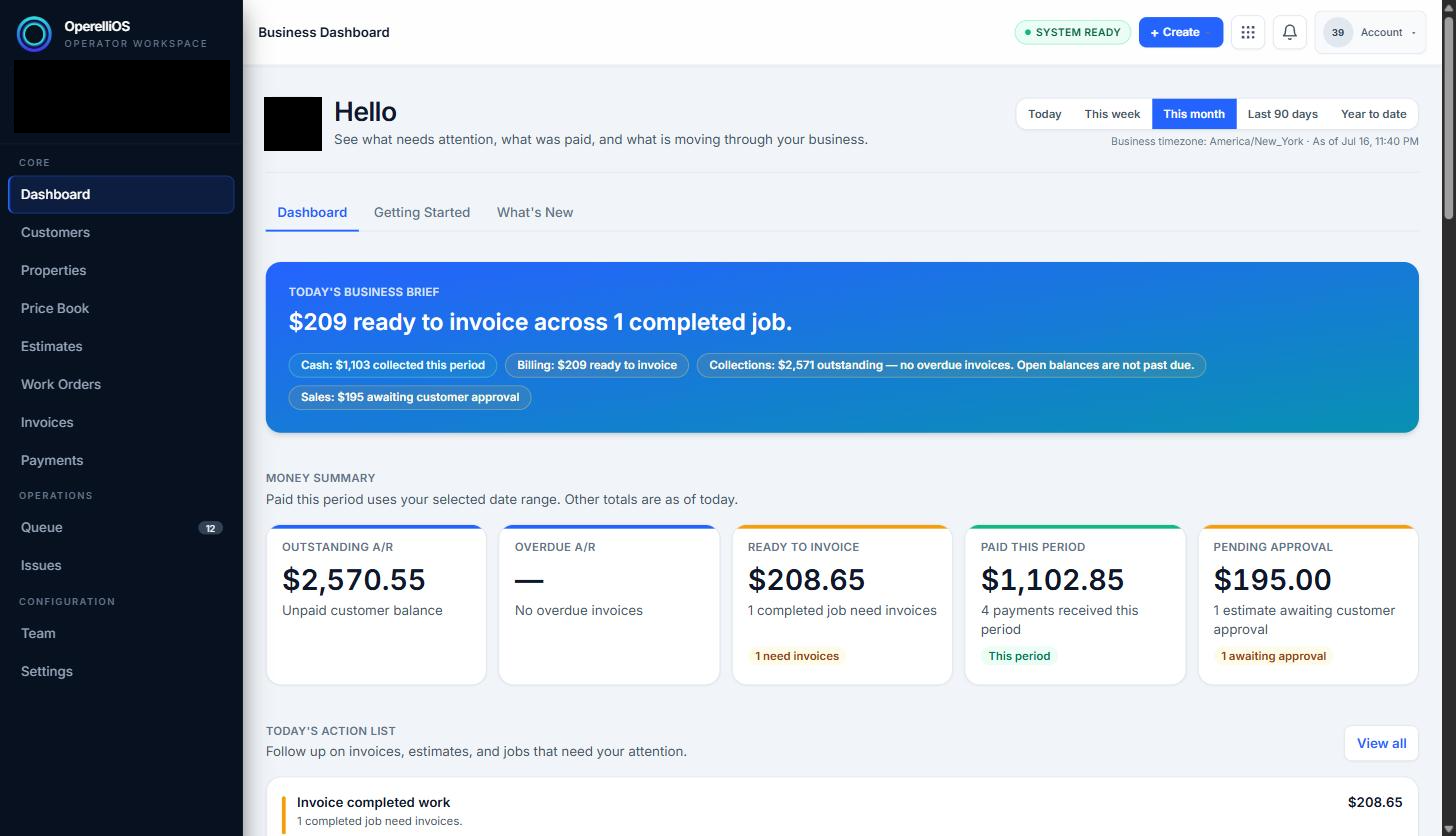
The Business Dashboard is the default view after signing in. Business name and avatar are redacted for privacy.
-
The left navigation lists the main areas of the product, grouped under Core (Dashboard, Customers, Properties, Price Book, Estimates, Work Orders, Invoices, Payments), Operations (Queue, Issues), and Configuration (Team, Settings).
-
At the top of the Dashboard, a row of tabs — Dashboard, Getting Started, and What’s New — lets you switch between the money-summary view and onboarding guidance.
-
The top-right corner holds a + Create shortcut, a notifications bell, and an Account menu for profile and organization settings.
Expected result
Section titled “Expected result”You can identify the Business Dashboard as your landing page and recognize the main navigation areas of OperelliOS.
Common issues
Section titled “Common issues”On a brand-new workspace, dashboard cards may show all-zero values until customers, estimates, or invoices are created. This is expected and not an error.