
How to Share a Public Proposal
Prepare an estimate for customer review and obtain a governed public proposal link the customer can open to see the proposal, without exposing the proposal token itself.
Who this is for: Owners or staff who share estimates for customer review.
Before you begin
Section titled “Before you begin”- An estimate that is ready for customer review.
- Willingness to review confirmation text before sending, since sending can trigger an automatic email to the customer if one is on file.
-
On an estimate that already has a public proposal available, click Share link to copy a governed public proposal link to your clipboard. A confirmation message appears once the link is copied.
-
On a Draft estimate, the equivalent action is Send to customer. Clicking it opens a confirmation dialog before anything is sent.
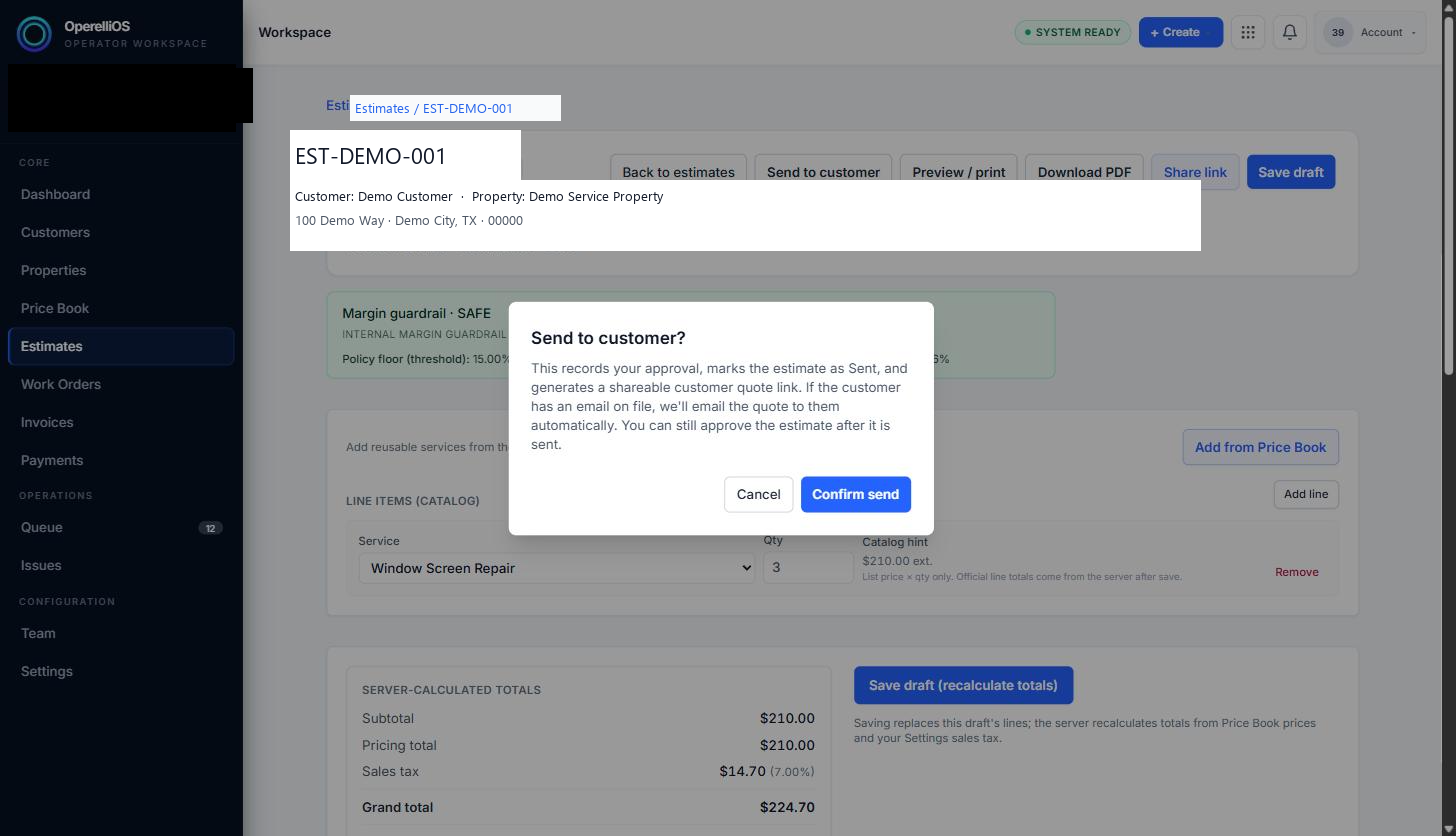
The confirmation dialog explains that sending records approval, marks the estimate Sent, generates a shareable link, and may automatically email the customer if an email is on file. Confirm Send was not executed in this capture.
-
Review the proposal before sharing using Preview / print, which renders the same customer-facing layout for your own review without generating a new link.
-
The generated link is a governed, token-protected URL. The public proposal token is not included in Help documentation, screenshots, alt text, or filenames.
Expected result
Section titled “Expected result”A governed public proposal link is available to copy for you to send to the customer through your own channel of choice. Opening or copying a link is not the same as sending an email.
Warnings and notes
Section titled “Warnings and notes”- Confirm Send was not executed on a fresh Draft estimate in this capture. No real email was sent.
- Do not expose the full public proposal token in screenshots, article copy, filenames, or receipts.
- This article does not claim any digital signature is legally binding; no such claim was observed in the product.
- Sent is described here from the dialog and share-link path. A dedicated Sent-badge screenshot is not included in this batch.
Verified limitations
Section titled “Verified limitations”- Verified portion: Share link copy behavior where observed, and the full text of the Send to customer confirmation dialog on a Draft estimate.
- Missing portion: Completing the Draft-to-Sent transition via Confirm Send was not performed.
- Reason: The confirmation dialog indicated an automatic customer email could be triggered for the available synthetic customer.