
Understanding the Estimate-to-Work-Order Relationship
A Work Order is created manually from an Approved Estimate. Selected information carries over at creation, and the source Estimate remains linked for reference.
Who this is for: Owners or staff who need to understand how Estimates and Work Orders stay related.
Before you begin
Section titled “Before you begin”- An Estimate that has reached the Approved status.
- Permission to create Work Orders in your workspace.
How the relationship works
Section titled “How the relationship works”-
A Work Order is not created automatically when an Estimate is approved.
-
From an Approved Estimate, a person manually selects Create Work Order.
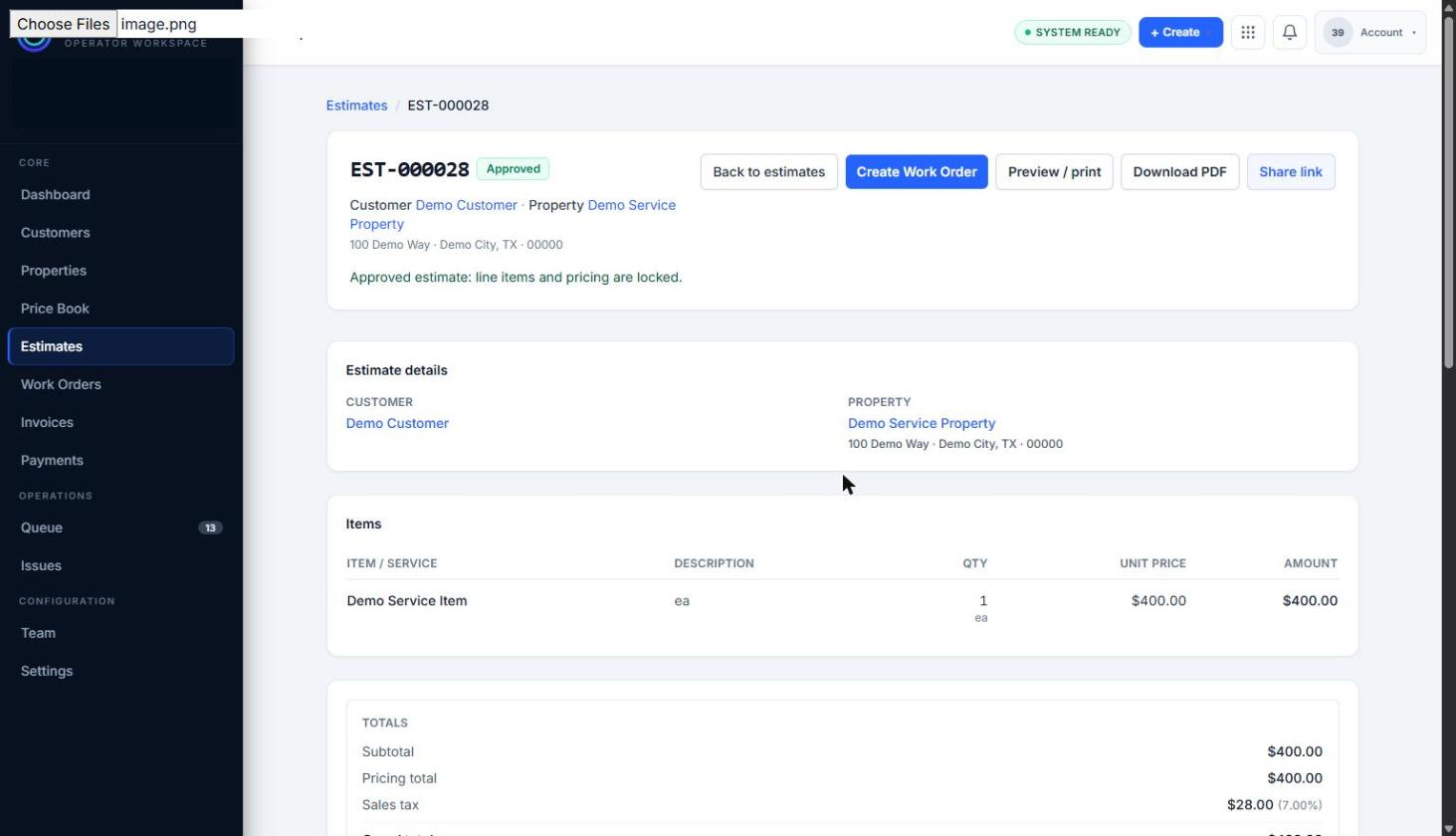
Creating a Work Order starts from an Approved Estimate using the Create Work Order control.
-
Selected information such as the customer, property, and line items carries into the new Work Order at the moment of creation.
-
The source Estimate remains linked to the Work Order. The Estimate itself remains Approved; creating a Work Order does not change the Estimate’s status.
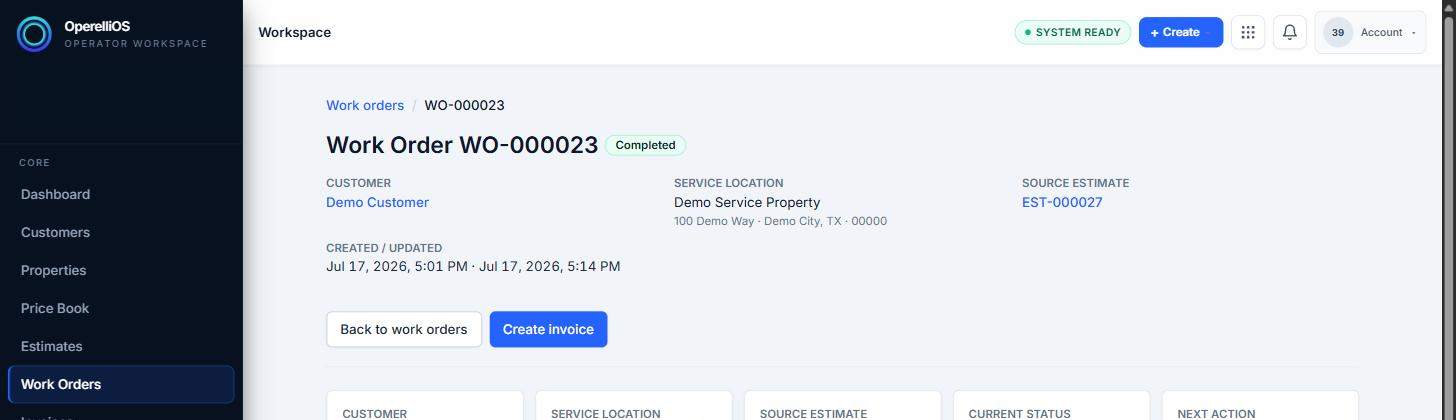
The Work Order remains linked to its source Estimate after creation.
-
Beyond this initial transfer, permanent two-way synchronization was not observed: later edits to one record were not observed to automatically update the other.
Expected result
Section titled “Expected result”You understand that Work Order creation is manual, the Estimate stays Approved and linked, and carried-over information is a creation-time transfer rather than ongoing automatic sync.
Warnings and notes
Section titled “Warnings and notes”- This article does not claim automatic conversion, automatic scheduling, automatic Invoice creation, automatic Payment creation, or permanent two-way synchronization.
- Invoice and Payment workflows will be documented in their own Help categories.
- AI does not create Work Orders or own Estimate or Work Order financial totals.