
How to Find a Customer
Quickly locate a customer record using search and filters in the Customers directory.
Who this is for: Owner, Office Manager, Operator.
Before you begin
Section titled “Before you begin”You need at least one customer already in your workspace.
Open the Customers directory
Section titled “Open the Customers directory”Select Customers from the left navigation to see the full directory of customer accounts.
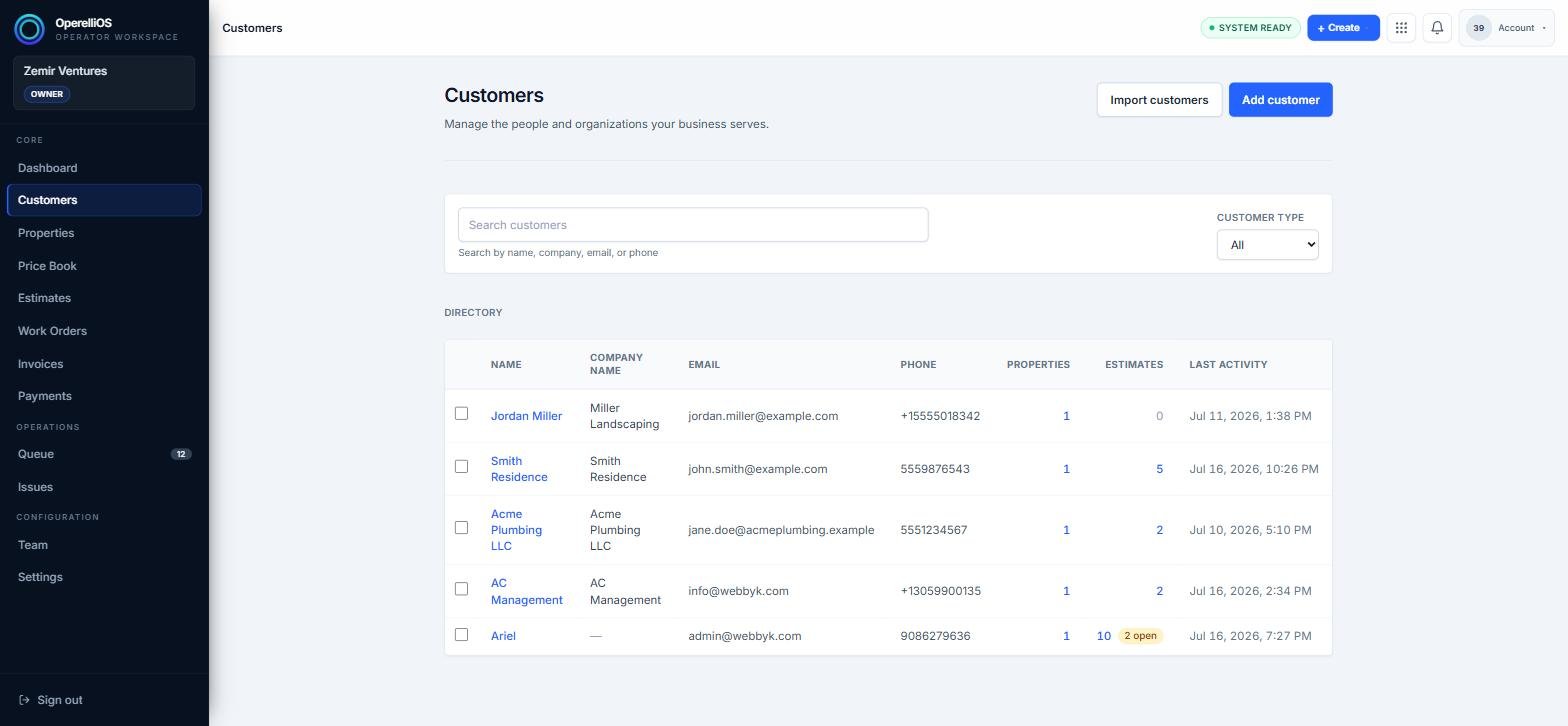
The Customers directory, with the search field above the list.
Search by name, company, email, or phone
Section titled “Search by name, company, email, or phone”Type into the Search customers field. The directory filters as you type, matching against name, company name, email, or phone number.
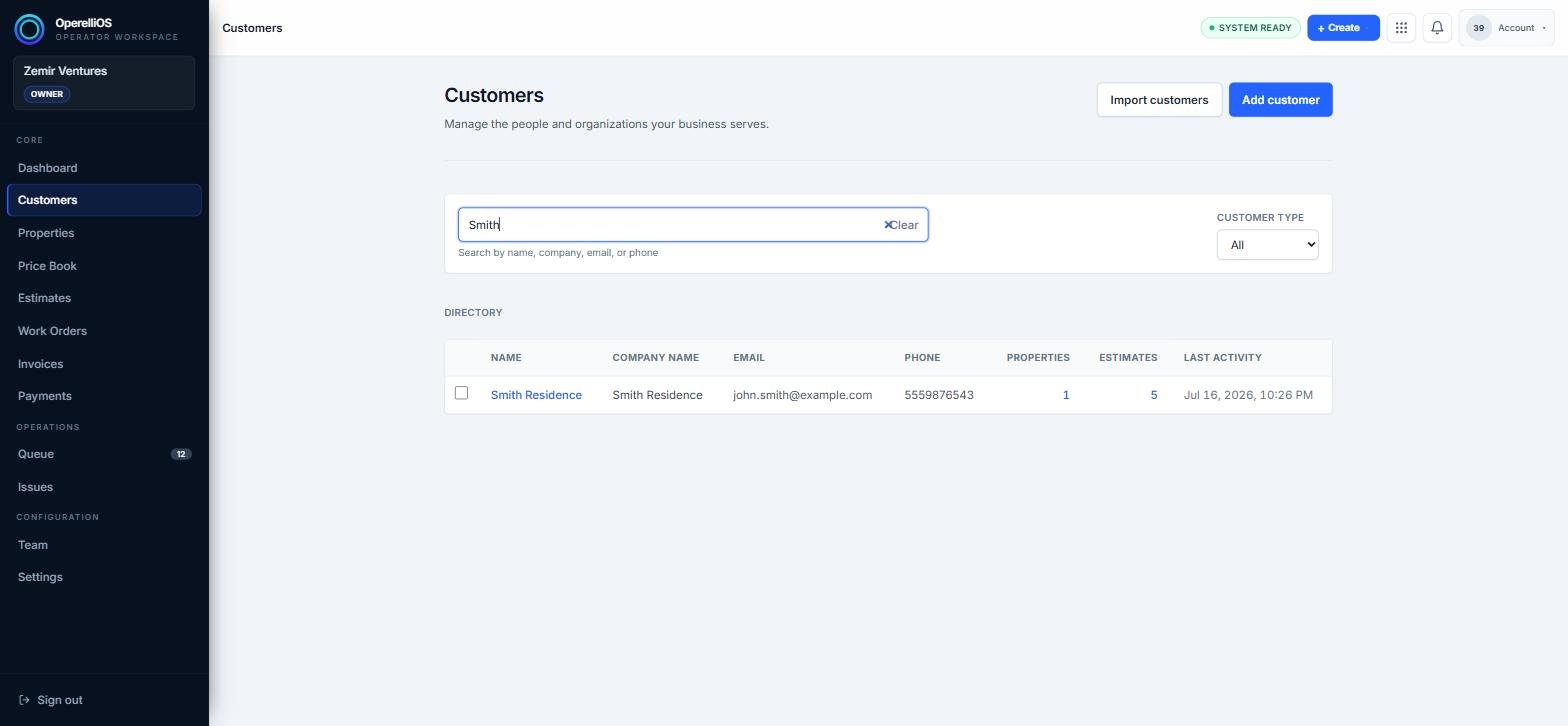
Typing “Smith” narrows the directory to the matching customer.
Narrow results with the Customer Type filter
Section titled “Narrow results with the Customer Type filter”Use the Customer Type dropdown to limit the directory to All, Residential, or Commercial accounts, either on its own or combined with a search term.
Expected result
Section titled “Expected result”The directory shows only the customers matching your search text and selected type, making it faster to open the right record.
Common issues
Section titled “Common issues”No results appear
Check your spelling, or clear the search field and the Customer Type filter to confirm the customer exists in this workspace.
Too many results
Try searching by a more specific detail, such as an email address or phone number, instead of a common name.