
Understanding Payment Records
A Payment Record documents money received against one or more Issued invoices. It is an internal operational record: it captures who paid, how much, by what method, and which invoice(s) it was applied to. Recording it directly changes the paid amount and balance due shown on those invoices.
Who this is for: Owners or staff who need to understand how Payment Records relate to invoices before recording a payment.
Before you begin
Section titled “Before you begin”- An Issued Invoice with a balance due.
- Access to the Payments area.
-
A Payment Record is created by recording a payment against one or more unpaid Issued invoices for a customer.
-
It is directly linked to the customer who paid and, through invoice allocations, to the specific Invoice(s) and property the payment was applied to.
-
Recording a Payment Record directly changes the linked Invoice’s Paid amount, Balance due, and Payment status (for example, from Unpaid to Partially Paid, or to Paid once the balance reaches zero). This was directly observed in this capture.
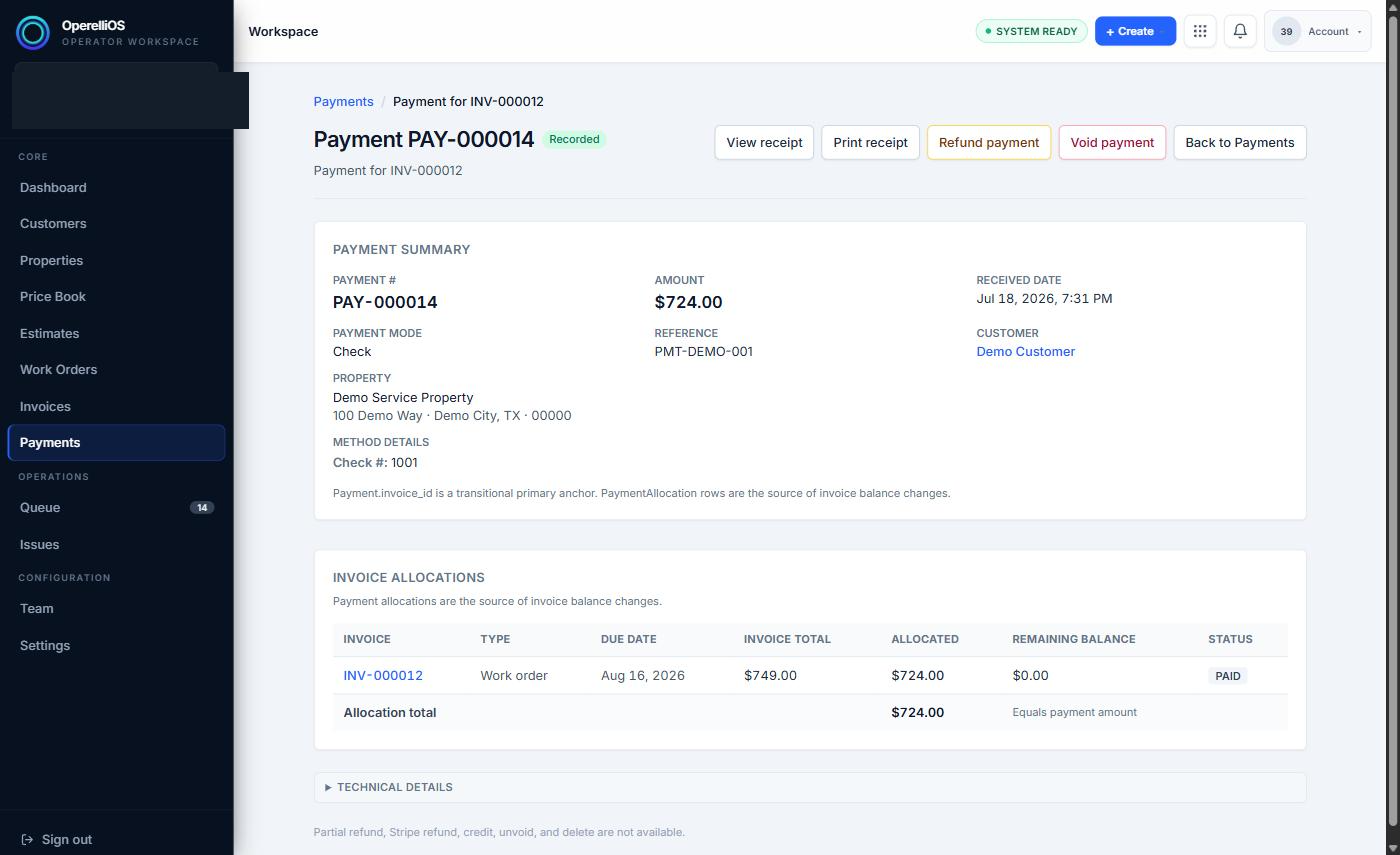
A Payment Record detail view, showing its link to a synthetic Invoice.
-
Once saved, the operator can safely review the Payment Record, view or print its receipt, and review its effect on the linked Invoice.
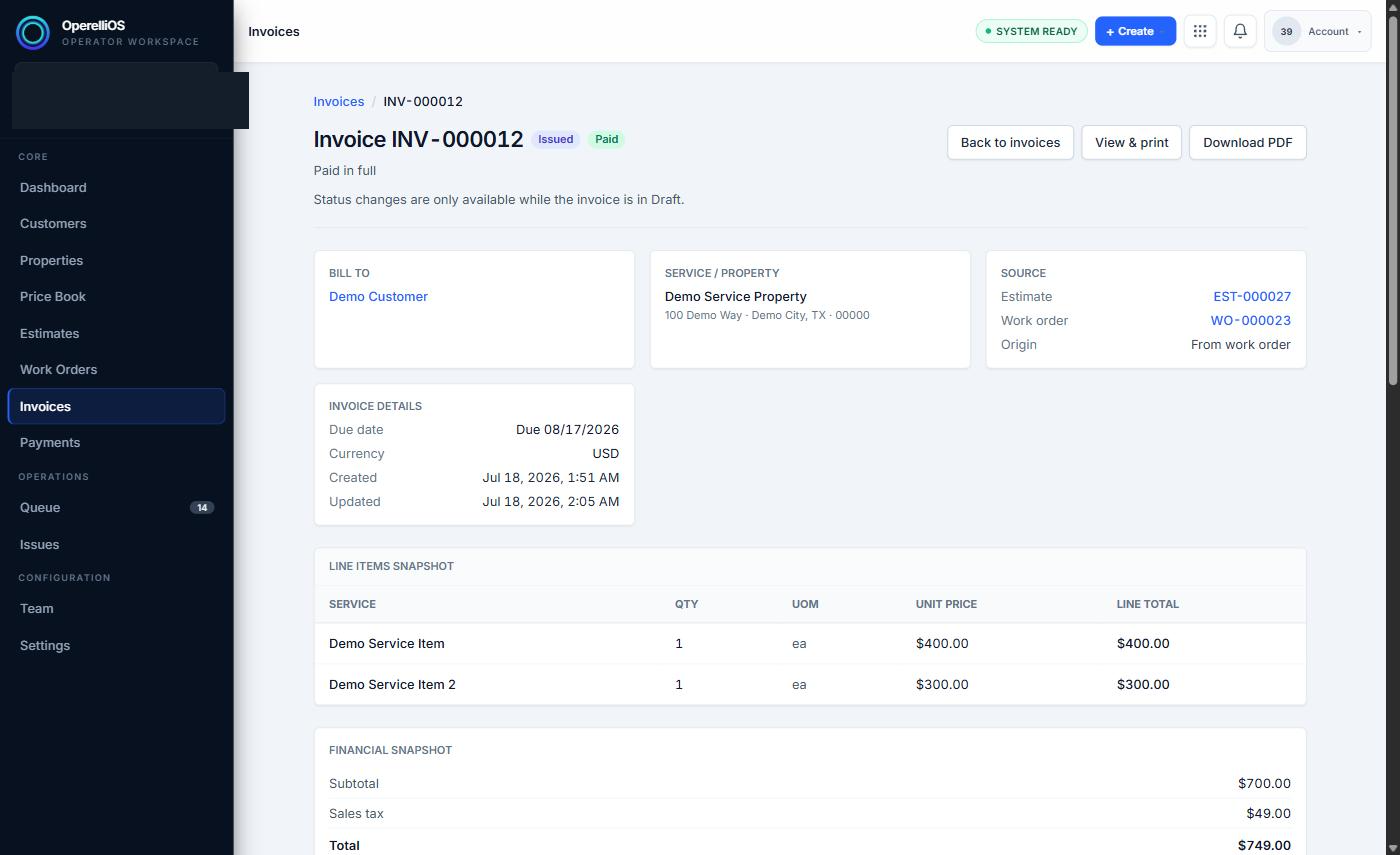
An Invoice showing a Paid status after a Payment Record was applied.
Expected result
Section titled “Expected result”A Payment Record tied to the correct customer and Invoice(s), with the Invoice’s paid amount and balance due updated to reflect it.
Warnings and notes
Section titled “Warnings and notes”- Payment processing, refunds, reconciliation, and accounting synchronization are documented separately. This article does not claim automatic card processing, ACH processing, accounting synchronization, payout timing, processor settlement, bank reconciliation, or AI-controlled payment state.
- Deterministic OperelliOS logic owns Payment Records, invoice balances, paid/unpaid states, and official financial totals. AI does not control payment amount, method, status, invoice balance, refunds, reconciliation, or accounting treatment.
- The Invoice finance panel is advisory only: it does not calculate displayed numbers and cannot mark invoices paid, record payments, or export to accounting on its own.