
How to View and Update an Estimate
Open an existing estimate to review its details, and, while it is still in Draft, change its line items and quantities and save your changes.
Who this is for: Owners or staff who maintain estimate drafts.
Before you begin
Section titled “Before you begin”- An existing estimate to open.
-
From the Estimates list, click an estimate number to open its detail page.
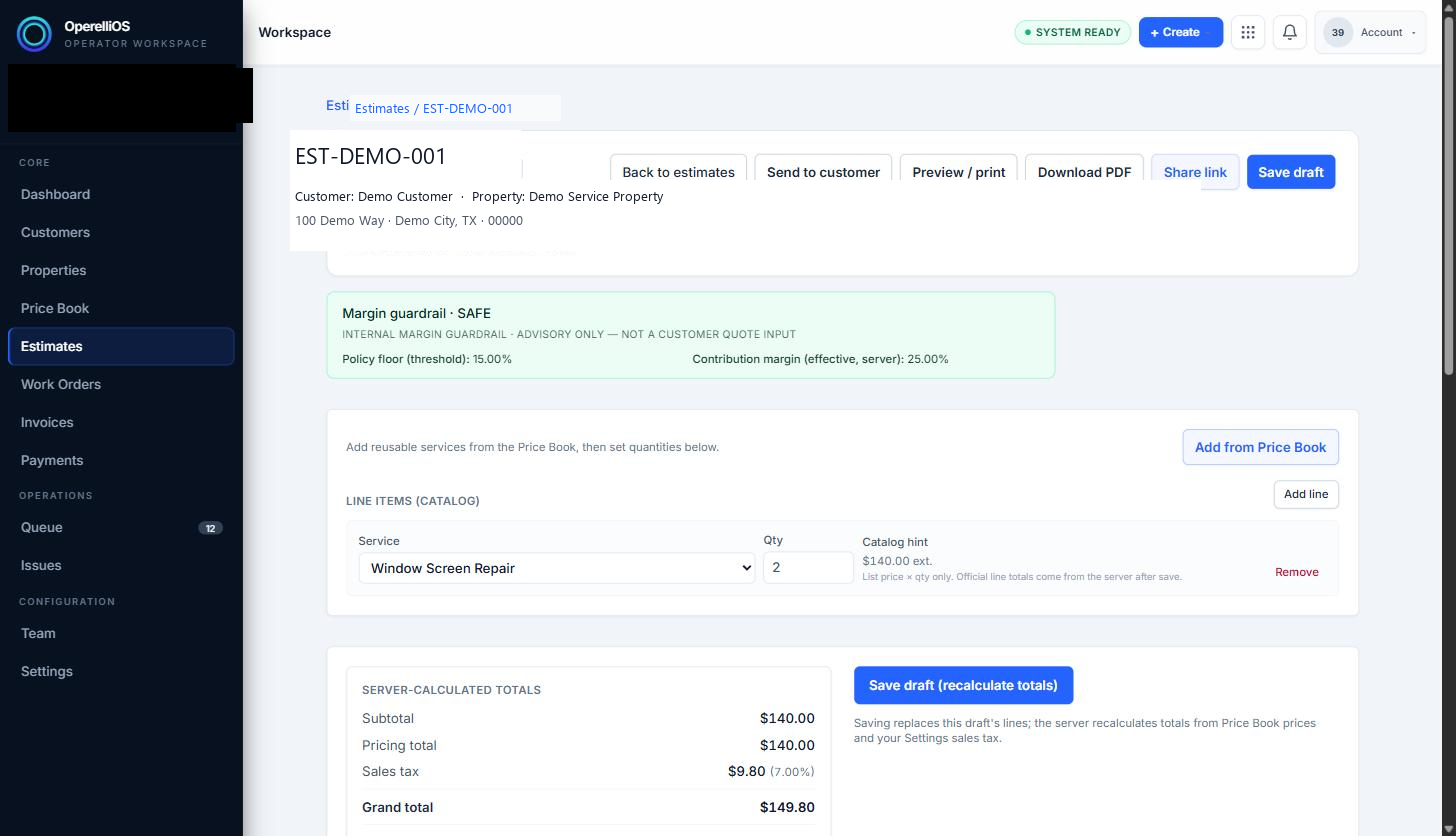
The estimate detail page shows customer, property, line items, and server-calculated totals for a synthetic draft.
-
While the estimate is in Draft status, you can add another Price Book item, change a line item’s Qty, or use the visible Remove control next to a line item. Successful line removal was not separately evidenced in this capture and is not claimed here.
-
Click Save draft (recalculate totals) to persist your changes. The server recalculates the subtotal, sales tax, and grand total, and updates the advisory cost analysis shown on the page.
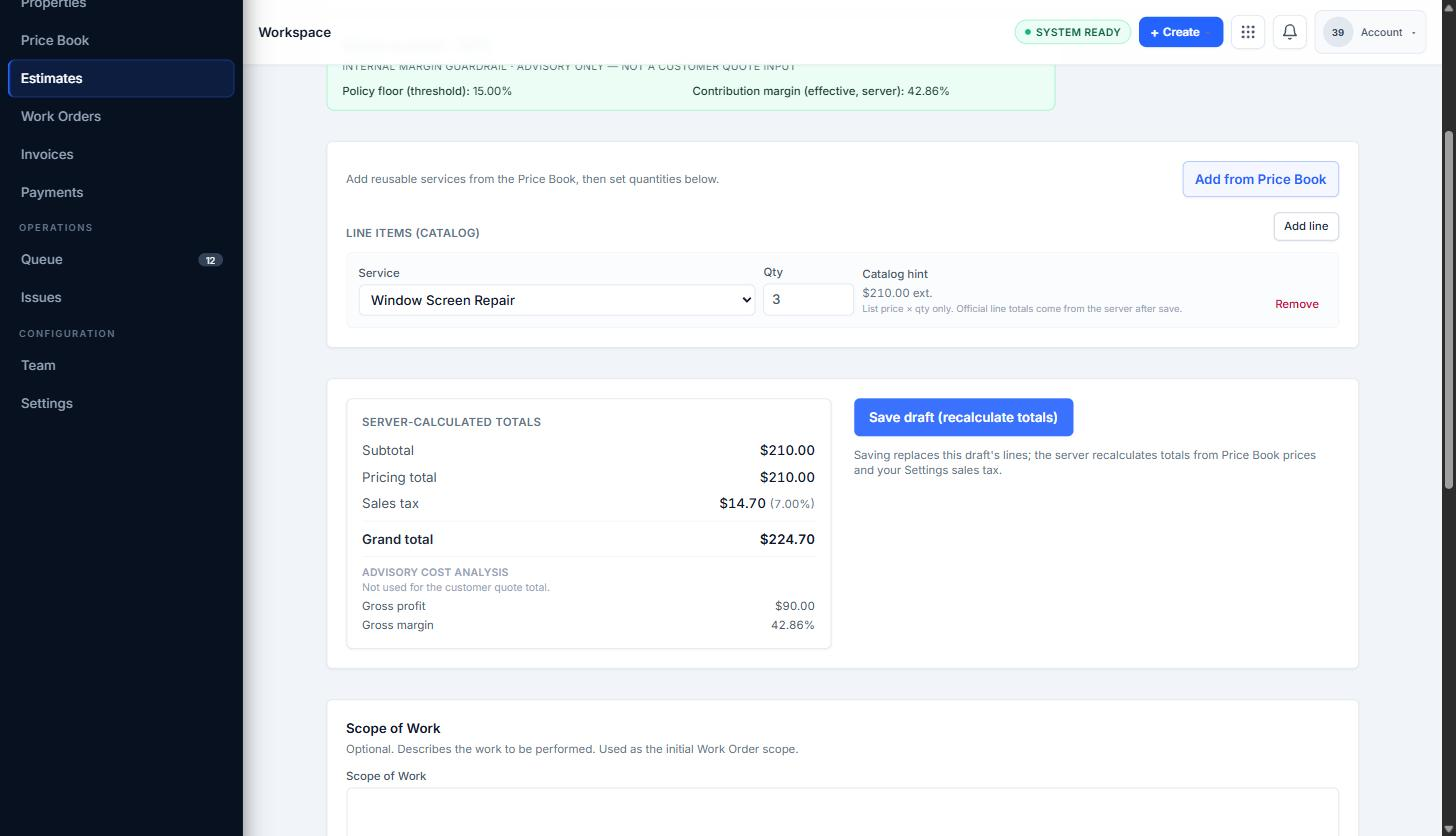
After saving, server-calculated totals and advisory cost analysis update to match the current line items.
-
Once an estimate reaches Approved status, the page states that line items and pricing are locked. Available actions change (for example, a Create Work Order next action may appear as a status boundary) instead of showing editable line items.
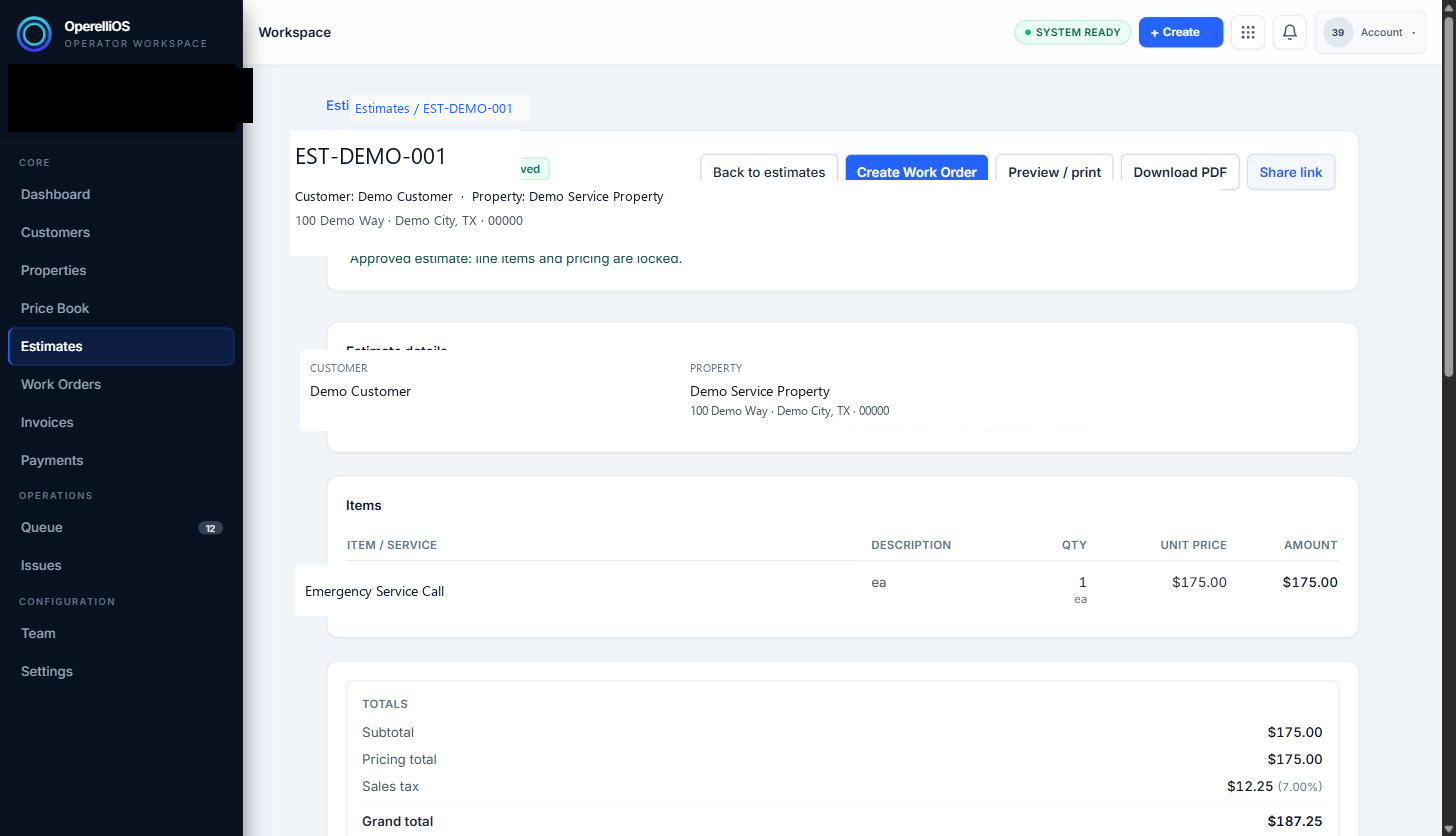
An Approved estimate shows a locked line items and pricing note. Work Order creation is not documented in this Help batch.
Expected result
Section titled “Expected result”Changes made to a Draft estimate’s line items and quantities are saved and reflected in newly recalculated totals. Approved estimates display as locked rather than editable. Deterministic OperelliOS logic computes official totals from governed inputs.
Warnings and notes
Section titled “Warnings and notes”- This article covers editing line items and quantities on a Draft estimate. It does not document deleting an entire estimate, which was not tested.
- Editing behavior for Sent (but not yet Approved) estimates was not separately tested in this batch.
- Once an estimate is Approved, its line items and pricing lock; further changes were not observed to be possible from this page.