
Understanding Invoice Balances After Payment
Recording a Payment Record directly changes the linked Invoice’s paid amount, remaining balance, and payment status. This was directly observed across a partial-payment state and a full-payment state on the same synthetic Invoice.
Who this is for: Owners or staff who need to understand how Payment Records affect Invoice balances.
Before you begin
Section titled “Before you begin”- An Issued synthetic Invoice with a balance due.
Directly observed behavior
Section titled “Directly observed behavior”-
Before any payment: a synthetic Invoice totaling $749.00 showed Paid $0.00, Balance due $749.00, Payment status Unpaid.
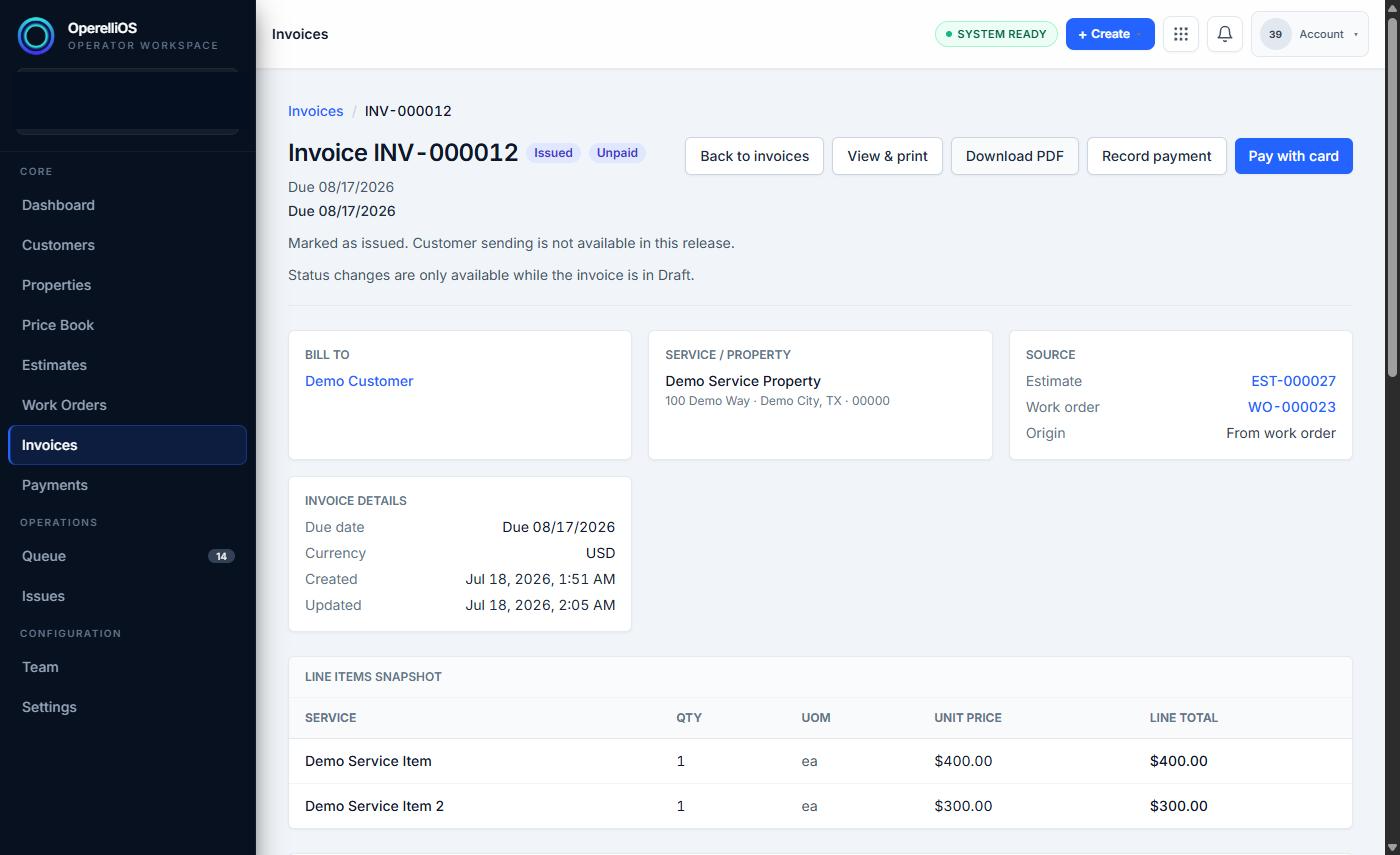
Invoice INV-000012 before the final payment in this capture, with balance due remaining.
-
Partial payment behavior: after a $25.00 Payment Record was applied (pre-existing in this capture), the same Invoice showed Paid $25.00, Balance due $724.00, and Payment status Partially Paid, with the message that the invoice has a remaining balance. A dedicated Partially Paid screenshot was not preserved; this intermediate state was verified via live page text.
-
Full payment behavior: after an additional $724.00 Check Payment Record was applied (covering the full remaining balance), the Invoice showed Paid $749.00, Balance due $0.00, and Payment status Paid, with the message that it was paid in full and no further payment recording is available.
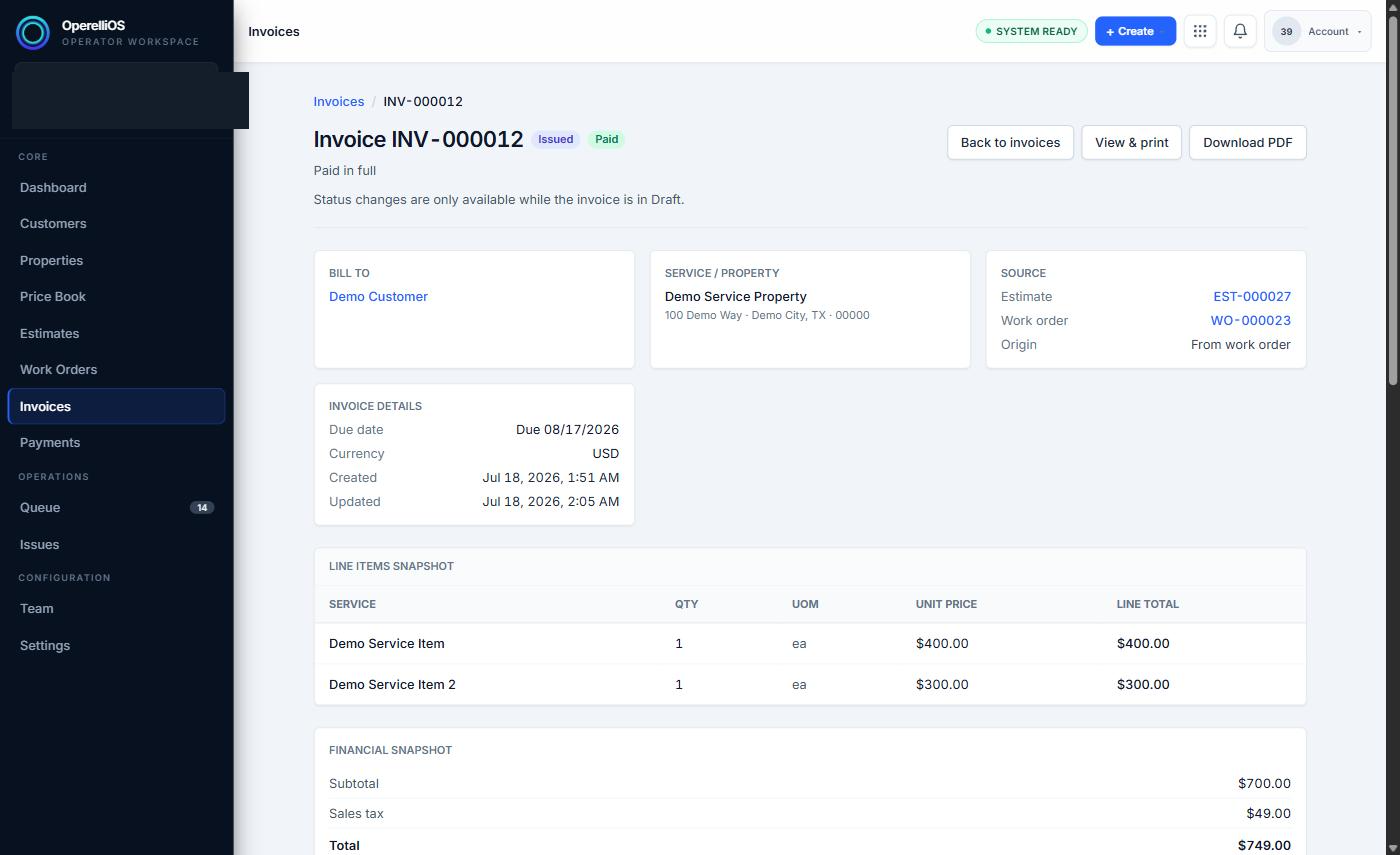
Invoice INV-000012 after the final payment, showing Paid status.
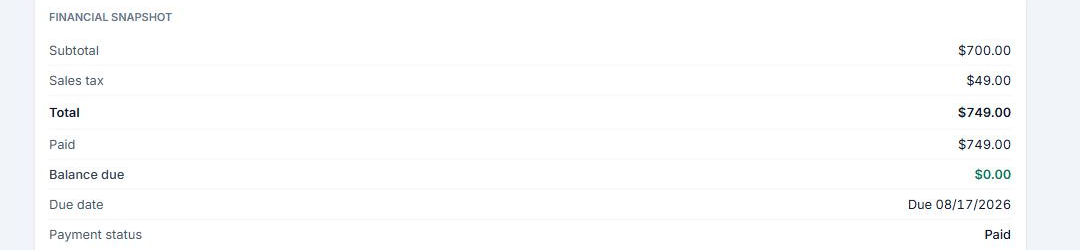
Invoice balance panel after payment: paid total matches invoice total and balance is $0.00.
-
Each Payment Record’s Invoice Allocations table independently shows the same Invoice Total, Allocated amount, Remaining Balance, and Status figures as the Invoice itself, confirming that payment allocations are the source of invoice balance changes.
Required financial boundary
Section titled “Required financial boundary”Deterministic OperelliOS logic owns invoice balance and payment state. AI does not calculate or control official balances. A Payment Record is a governed financial input recorded inside OperelliOS — it is not proof of external payment-processor settlement.
Warnings and notes
Section titled “Warnings and notes”- Do not oversimplify this capture as a single $724 invoice total. The invoice total was $749.00, with a prior paid amount of $25.00 observed, then a final Check payment of $724.00.
- This article does not assume overpayments, credits, deposits, refunds, or reconciliation.
- Partial-payment intermediate state was verified via live page text but not preserved as a dedicated screenshot.