
Understanding Estimate and Proposal Statuses
OperelliOS tracks each estimate through a small set of statuses shown on the Estimates list and on the estimate detail page. This article documents only the statuses directly evidenced in screenshots, plus explicit evidence gaps.
Who this is for: Owners or staff who need to interpret estimate status on the list and detail pages.
Before you begin
Section titled “Before you begin”- Access to the Estimates list in your workspace.
-
The Estimates list offers status filters: All, Draft, Sent, Approved, Invoiced, and Declined.
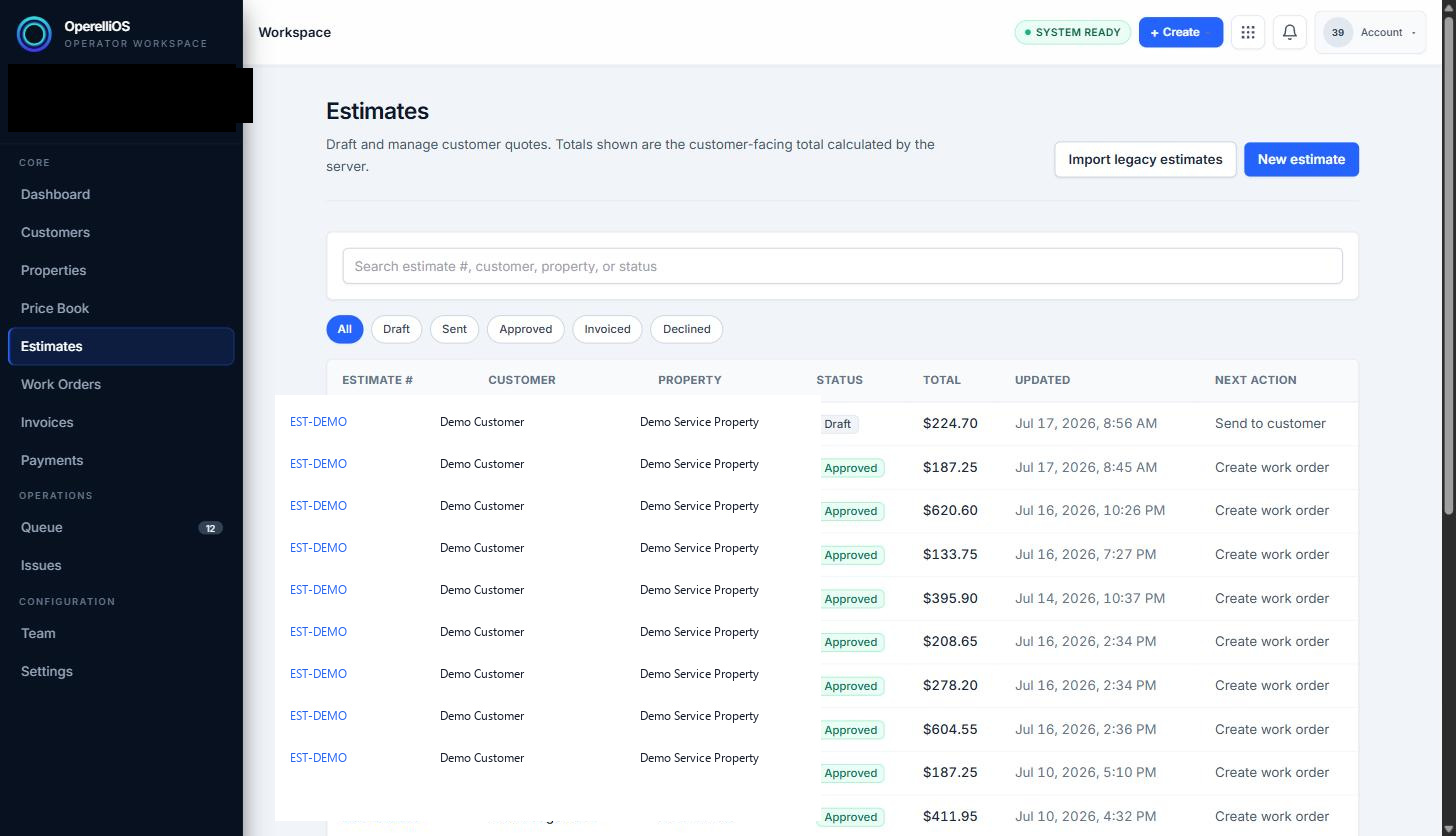
The Estimates list shows a Status column and filter pills. Captured rows use synthetic demo labels.
-
Draft (directly evidenced): reached when an estimate is created and saved but not yet sent. Next action shown: “Send to customer.” Line items and quantities remain editable.
-
Sent (evidence gap): appears as a filter label and is referenced by sharing workflows. A dedicated Sent-badge screenshot is not included in this batch, so Sent is not presented here as directly evidenced on a Status column badge.
-
Approved (directly evidenced): reached when the operator clicks Approve estimate, or when the customer accepts the public proposal. The estimate detail page then states that line items and pricing are locked, and the next action shown may be Create Work Order as a status boundary only.
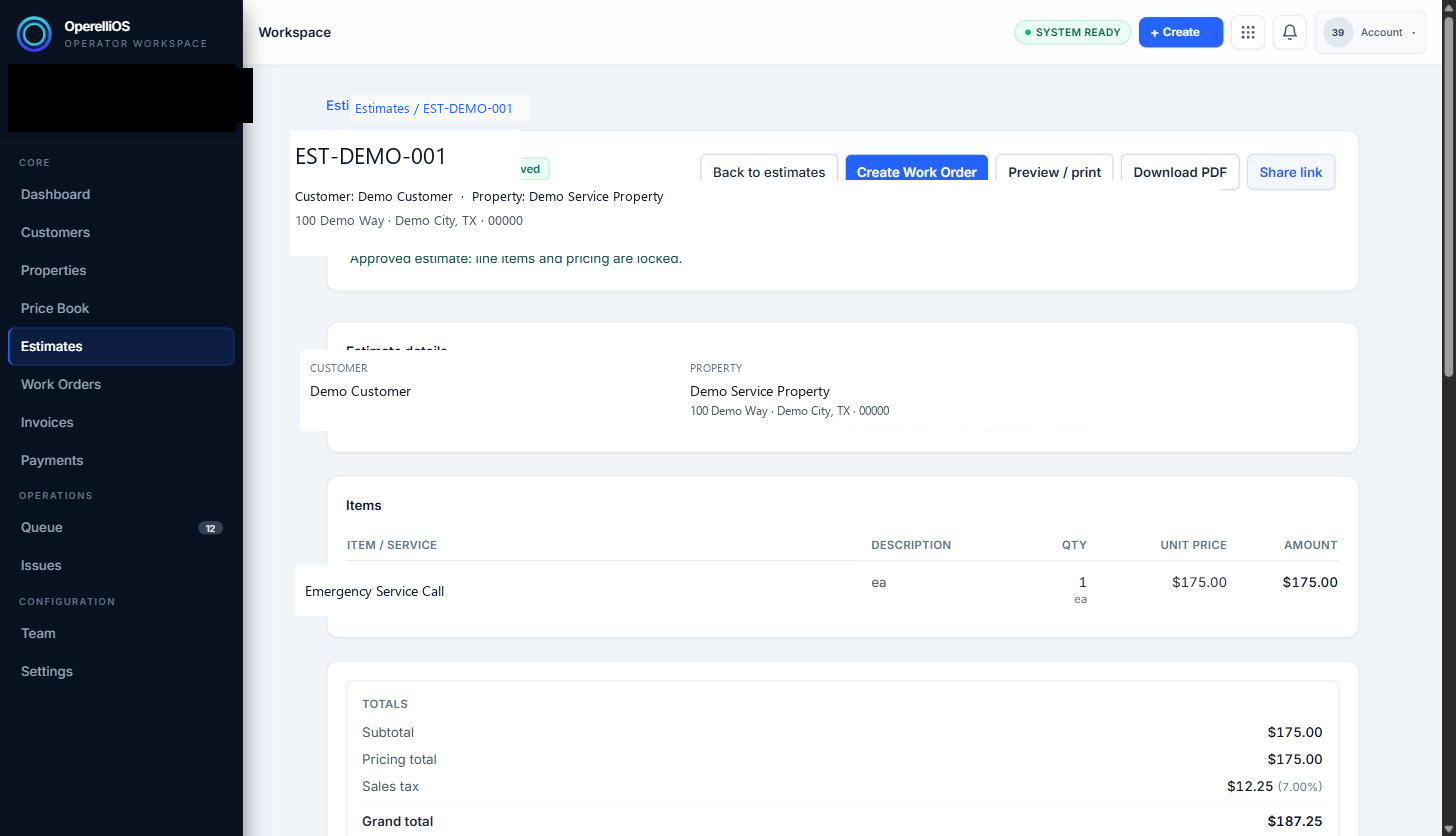
An Approved estimate shows a locked-pricing note. Work Order creation is not documented in this Help batch.
-
Invoiced and Declined appear as selectable filters on the Estimates list, but no record in this capture has either status, so their behavior and next actions could not be directly observed.
Expected result
Section titled “Expected result”You can identify Draft and Approved estimates from the Status column in the captured screenshots, and understand that Sent, Invoiced, and Declined require additional verified captures before they are treated as fully evidenced workflow states.
Warnings and notes
Section titled “Warnings and notes”- Work Order documentation is handled in a separate capture batch. A visible Create Work Order next action on an Approved estimate is mentioned only as a status boundary, not as a documented workflow.
- This article does not describe Invoice or Payment behavior.
- Do not infer status transitions from filter labels alone.
Verified limitations
Section titled “Verified limitations”- Verified portion: Draft and Approved statuses, each observed on a record with an associated next action in screenshots.
- Evidence gap: Sent lacks a direct Sent-badge screenshot in this batch.
- Missing portion: Invoiced and Declined statuses were not observed on any record.